Prompt Engineering in 5 Levels: From Toy Prompts to Production Pipelines
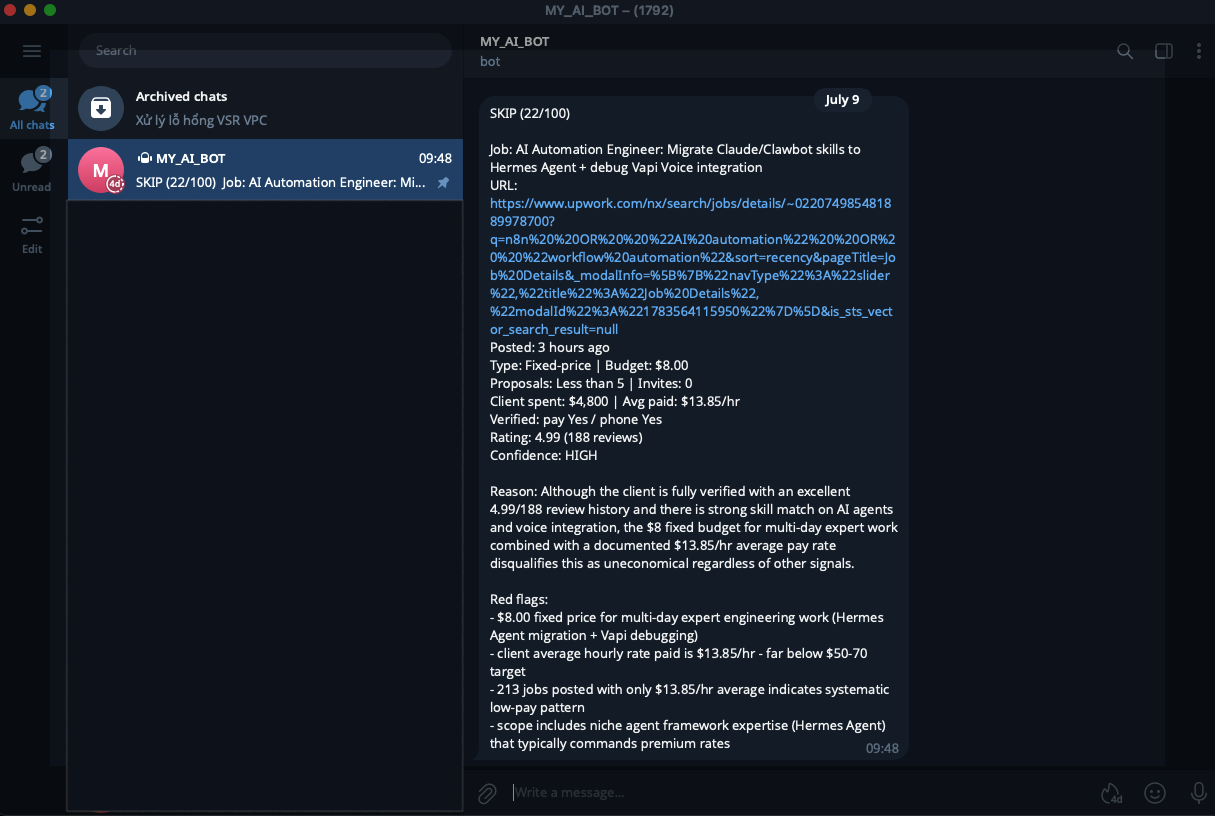
Most prompt engineering tutorials show you clever one-liners. Then you put that prompt in a real workflow, run it 200 times, and discover the ugly truth: it works 85% of the time, and the other 15% quietly corrupts your database.
This post is the guide I wish I’d had. Five levels, each adding one technique, built from prompts I actually run in production n8n workflows that classify emails, qualify leads, and score job posts.
Read it once to learn. Bookmark it for when you’re debugging a prompt at 11pm.
Before You Start: Which Levels Apply to You?
These techniques come from building automated pipelines, but most of them work just as well when you’re typing into Claude, ChatGPT, or Gemini. Here’s the split, so you know what to skim and what to study.
| Level | Chat window | API / automated pipeline |
|---|---|---|
| 1. The four parts | Yes, use as-is | Yes |
| 2. System vs user | Yes, in a different form | Yes |
| 3. Few-shot examples | Yes, use as-is | Yes |
| 4. Chain of thought | Yes, use as-is | Yes |
| 5. Validation and code enforcement | Not applicable | Required |
Levels 1–4 are universal. They make any model give you better answers, whether it’s a chat window or an API call.
Level 2 looks different in chat. The “system prompt” exists under other names: Project Instructions in Claude, Custom Instructions or a Custom GPT in ChatGPT, Gems in Gemini. The principle is identical — anything you’d retype every conversation belongs there, not in the message.
A note on Level 4. Modern reasoning models (Claude with extended thinking, OpenAI’s o-series, Gemini Thinking) already reason internally. Forcing chain-of-thought on them wastes tokens. Manual CoT still matters for fast, cheap models — Haiku, Flash, mini — which is exactly what you run in high-volume pipelines.
Level 5 doesn’t exist in chat, and the reason is worth stating plainly: in a chat window, you are the validation layer. You read the output, spot the nonsense, and ask for a fix. No database gets corrupted.
Which gives you the rule for the whole post:
Will a human read the output before it causes consequences? Yes → Levels 1–4 are enough. No → You need Level 5.
The moment an LLM’s output flows straight into Airtable, a CRM, an outbound email, or an automated decision, nobody is checking its work. That’s when “the prompt asked nicely” stops being good enough.
Level 1 — Anatomy: The Four Parts
Every reliable prompt has four parts. Miss one and you’ll feel it.
[ROLE]        Who is the model in this context?
[TASK]        What exactly should it do?
[FORMAT]      What should the output look like?
[CONSTRAINT]  What are the rules and limits?
Example: bad vs good
Bad — a wish, not a prompt:
Classify this email.
The model has to guess: classify into what? Return what shape? Add explanation or not? You’ll get a different answer every run.
Good — all four parts:
You are an email triage assistant for a freelance developer.   [ROLE]

Read the email below and classify it.                          [TASK]

Respond with ONLY a JSON object:
{"category": "hot_lead|recruiter|spam|other",
 "priority": "high|medium|low"}                                [FORMAT]

No markdown, no explanation, output JSON only.                 [CONSTRAINT]
Same model. Same email. Wildly different reliability.
A second example: the type trap
Watch this subtle bug. Which of these two is correct?
"should_bid": "true/false"      ← A
"should_bid": true | false      ← B
B. In version A, you wrapped the values in quotes, so the model gives you back the string "true". Later your code runs if (result.should_bid) — and the string "false" is truthy in JavaScript. Your workflow now bids on every job you told it to skip.
Always declare types precisely: number, not "amount in USD".
Level 2 — System vs User: Separate the Fixed from the Variable
Every LLM API call has two slots:
{
  "system": "...",
  "messages": [
    {"role": "user", "content": "..."}
  ]
}
The rule is simple:
- System = what never changes between calls — role, format, rules
- User = what changes every call — this specific email, this specific form submission
Example: getting the split right
Wrong — everything crammed into user:
user: "You are an email assistant. Classify this email into
hot_lead, recruiter, or spam. Return JSON only. Here's the
email: 'Hi, we need help automating invoices, budget $1500...'"
This works, but you’re re-sending your entire instruction set on every call. More tokens, more cost, and when you tweak the rules you have to touch the code that builds the message.
Right — separated:
system: "You are an email triage assistant for a freelance
         developer. Classify each email.
         Respond with ONLY a JSON object:
         {"category": "hot_lead|recruiter|spam|other",
          "priority": "high|medium|low"}
         No markdown. JSON only."

user:   "Hi, we need help automating invoices, budget $1500..."
Now the system prompt is a config file. The user message is data. In n8n, the system prompt lives in the node and the user message is built from $json — exactly the separation you want.
Level 3 — Few-Shot Examples: Show, Don’t Explain
This is the highest-leverage technique, and the most under-used.
The problem: words like “hot lead” mean something specific to you. The model doesn’t know your definition. You can write three paragraphs explaining it, or you can show two examples.
Example: teaching a definition
Without few-shot:
Classify lead quality as hot, warm, or cold.
The model invents its own thresholds. A $200 inquiry might be “hot” on Monday and “warm” on Tuesday.
With few-shot:
Classify lead quality. Examples:

Input:  "Need automation help, no budget mentioned"
Output: {"lead_quality": "cold"}

Input:  "Need n8n for HubSpot sync, $1500, start next week"
Output: {"lead_quality": "hot"}

Input:  "Interested in automation, budget TBD, no rush"
Output: {"lead_quality": "warm"}
Three lines of examples beat three paragraphs of explanation. In my lead-capture workflow, adding few-shot examples was the single change that made scores stop drifting between runs.
Rules for few-shot
- Two to three examples. More burns tokens with diminishing returns.
- Cover the edges, not the middle. Show the ambiguous cases, not the obvious ones.
- Match your real output format exactly. If the examples use single quotes and your parser expects JSON, you’ve just taught the model to break your pipeline. Use
"double quotes". - Put them in
system, notuser. They’re rules, not data.
Where examples go
Order inside the system prompt matters:
1. Role
2. Few-shot examples      ← before the reasoning steps
3. Reasoning steps
4. Format + constraints
The model reads top to bottom. Show it what “done” looks like before you ask it to think.
Level 4 — Chain of Thought: Make It Reason Before It Answers
For a simple classification, the model can answer instantly. For a judgment with several competing factors, an instant answer is a guess.
Chain of Thought (CoT) forces the model to work through the problem step by step before committing.
Example: a decision with many factors
Consider scoring an Upwork job. Should I bid on this?
Title: Automation Engineer (Python, RAG, Backend)
Posted: 3 hours ago
Budget: $8.00 fixed-price, "Expert" level
Client: United Kingdom, 5.0 rating, 188 reviews,
        213 jobs posted, 96% hire rate,
        $4.8K total spent, $13.85/hr average rate paid
Ask “should I bid?” and the model sees a 5.0-rated verified client in the UK with a fresh post and low competition. It says yes. It’s wrong.
With CoT:
Before outputting JSON, reason through these steps:
Step 1 - Skill match: Does this need n8n, AI automation,
         or Python? Score yes/partial/no.
Step 2 - Posted time: How old is the post?
Step 3 - Client pay quality: What is their average
         hourly rate paid? What have they spent?
Step 4 - Budget vs scope: Is the budget proportionate
         to the work described?
Step 5 - Competition: How many proposals?
Step 6 - Decision: Based on steps 1-5, bid or skip?

Then, and only then, output the JSON.
Now Step 3 surfaces $13.85/hr average paid and Step 4 surfaces $8.00 for multi-day expert work. The verdict flips to skip — for the right reason.
That phrase “Then, and only then” matters. Without it, models tend to start writing the answer while still reasoning, and you get prose mixed into your JSON.
When NOT to use CoT
CoT is not free. It costs tokens and latency, and it tempts the model to emit reasoning text alongside your JSON.
Skip it when:
- The task is a simple classification (my email triage workflow has no CoT — it doesn’t need it)
- You need a clean, minimal JSON response
- You’re using a small fast model for a narrow task
Use it when the decision genuinely has multiple competing inputs.
Level 5 — Production: Validation, Fallbacks, and Not Trusting the Model
Levels 1–4 make a prompt good. Level 5 makes it survive contact with reality.
Three additions.
5a. Self-validation step
Add a final reasoning step that makes the model check its own output:
Step 7 - Validate: Before outputting, check:
  - Is should_bid a boolean, not the string "true"?
  - Is bid_price a number, not "$500"?
  - Is opening_line an empty string when should_bid is false?
  - Are all 7 keys present?
  If any check fails, fix it before outputting.
This catches maybe 80% of format drift. Which brings us to the other 20%.
5b. Fallback for garbage input
Real users paste empty forms. Real APIs return truncated pages. Tell the model what to do instead of letting it improvise:
If the job description is under 20 words or has no
technical detail, return exactly:
{"should_bid": false, "score": 0, "confidence": "low",
 "bid_price": 0, "red_flags": ["insufficient information"],
 "reason": "Insufficient information to analyze.",
 "opening_line": ""}
Without this, a blank input makes the model invent a plausible-looking analysis of a job that doesn’t exist. Confident hallucination is worse than an error.
5c. The most important lesson: enforce hard rules in code, not in the prompt
Here’s what took me longest to learn.
You can write HARD RULE: if posted more than 48 hours ago, should_bid MUST be false in your prompt. The model will follow it — usually. Maybe 95% of the time. On the 5% where the job looks otherwise perfect, it’ll rationalize its way past your rule.
A prompt is a suggestion. Code is a guarantee.
So every non-negotiable rule gets enforced twice — once in the prompt (so the model reasons correctly), and once in code after the response comes back:
// The prompt asks nicely. This makes sure.

// Rule 1: stale post
const posted = String(ex.posted_time || '').toLowerCase();
const dayMatch = posted.match(/(\d+)\s*day/);
if (posted.includes('week') || (dayMatch && parseInt(dayMatch[1]) >= 2)) {
  ai.should_bid = false;
  ai.red_flags.push('posted over 48 hours ago');
}

// Rule 2: client underpays
const avgRate = parseFloat(String(ex.client_avg_hourly_paid || '')
                  .replace(/[^0-9.]/g, ''));
if (!isNaN(avgRate) && avgRate > 0 && avgRate < 20) {
  ai.should_bid = false;
  ai.red_flags.push(`client avg rate paid is $${avgRate} - below target`);
}

// Rule 3: payment not verified
if (!String(ex.payment_verified).toLowerCase().includes('yes')) {
  ai.should_bid = false;
  ai.red_flags.push('payment method not verified');
}
Also sanitize types defensively, because the self-validation step isn’t perfect either:
ai.should_bid = ai.should_bid === true || ai.should_bid === 'true';
ai.score = typeof ai.score === 'number' ? ai.score : parseInt(ai.score) || 0;
if (!Array.isArray(ai.red_flags)) ai.red_flags = [];
if (!['high','medium','low'].includes(ai.confidence)) ai.confidence = 'low';
Never let a bad model response crash your workflow — or worse, pass silently.
5d. Parse defensively
Even with output JSON only, models occasionally wrap output in markdown fences or prepend a sentence. Strip and extract rather than trusting:
const clean = raw.replace(/```json/gi, '').replace(/```/g, '').trim();
const match = clean.match(/\{[\s\S]*\}/);   // grab the JSON object
if (!match) throw new Error('No JSON found in response');
const ai = JSON.parse(match[0]);
A Note on Choosing Your Criteria
One design decision worth calling out, because it’s a prompt engineering question disguised as a business question.
When I built the job scorer, my first instinct was to score clients by country — assume clients from certain regions pay less. It’s a common heuristic among freelancers.
It’s also a bad one, and the UK example above shows why. That client was in the UK, verified, 4.99 stars across 188 reviews — and paid $13.85/hr on a $8 fixed-price “Expert” job. A country filter scores that client high.
The signal I actually wanted was behaviour: avg_hourly_rate_paid, total_spent, payment_verified, hire_rate. Those measure the thing directly instead of using a proxy that’s both less accurate and unfair.
The lesson generalizes: when a prompt gives you unstable or wrong-feeling results, check whether you’re asking the model to score a proxy for what you care about instead of the thing itself. Better inputs beat cleverer prompts.
When to Use Which Level
| Situation | Levels needed |
|---|---|
| Quick one-off question in a chat window | 1 |
| A prompt you retype every week in chat | 1 + 2 (move it to Project Instructions / Custom GPT / Gem) |
| Chat output has the wrong tone or shape | 1 + 3 (paste two examples of what you want) |
| Asking a chat model for a hard judgment call | 1 + 3 + 4 |
| Any API call, any workflow | 1 + 2 |
| Output is inconsistent between runs | 1 + 2 + 3 |
| Decision has multiple competing factors | 1 + 2 + 3 + 4 |
| Simple classification at high volume | 1 + 2 + 3, skip CoT (save tokens) |
| Anything writing to a database or CRM | All 5 |
| Non-negotiable business rules | All 5, and enforce rules in code |
Two heuristics that cover most cases:
- If nobody reads the output before it acts, you need Level 5.
- If a wrong answer costs you money, you need Level 5.
Everything above Level 5 is just good thinking, and it pays off in a chat window too.
The Compressed Version
If you remember five things:
- Four parts. Role, task, format, constraint. Declare types precisely.
- System is config. User is data. Never mix them. In chat, “system” is called Project Instructions.
- Two examples beat two paragraphs. Put them in system, before the reasoning steps.
- CoT for judgment, not for classification. And say “then, and only then, output the JSON.”
- A prompt is a suggestion; code is a guarantee. Enforce hard rules twice — but only once nobody is reading the output.
Levels 1–4 will make you better at every chat window you open. Level 5 is what separates a demo from something you can leave running.
See These Prompts Running
Everything above comes from workflows I run in production. The code is open:
- n8n-ai-email-triage — Levels 1–3. Gmail → Claude → Sheets → Telegram. Simple classification, no CoT needed.
- n8n-ai-lead-capture-airtable — Levels 1–5. Form → Claude → Airtable → Telegram. Try the live form and watch your submission get scored.
Building Something Like This?
If you’re wiring an LLM into a workflow that touches real data — a CRM, a database, a customer-facing process — the gap between a prompt that demos well and a prompt that runs unattended for six months is mostly what’s in Level 5.
That’s the part I build for clients.
Message me on Upwork, tell me what you’re trying to automate, and I’ll tell you exactly how I’d build it.
Tuan Nguyen is a Top Rated Plus automation developer on Upwork with 10+ years in Python and data engineering, building AI automation systems, n8n workflows, and RAG chatbots for clients worldwide.
See also:
- AI Lead Capture — from form submission to CRM in 30 seconds — the Levels 1–5 workflow this post draws its examples from
- AI Email Triage — automatically sort and prioritize your inbox — the Levels 1–3 classification workflow
- Claude Code, Efficiently — the same “instructions are a suggestion, code is a guarantee” principle, applied to Claude Code